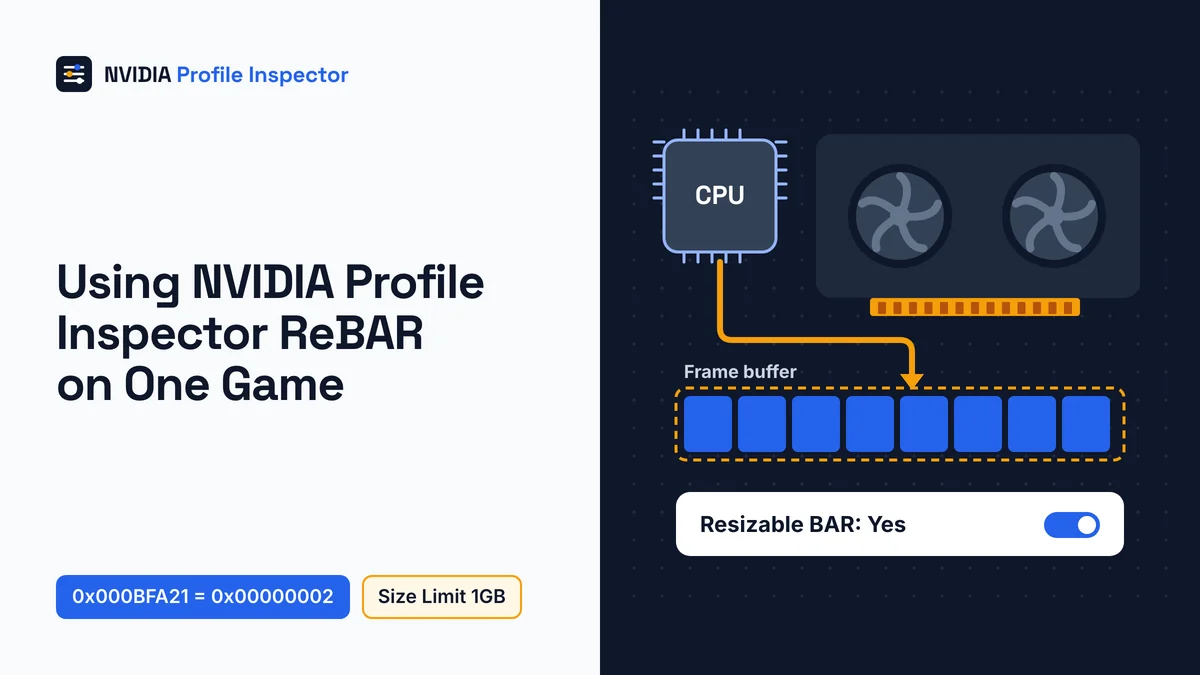
To force ReBAR on one game, set ID 0x000BFA21 to 0x00000002 on driver 616.56 or newer, or rBAR - Enable to Enabled on older drivers. Keep rBAR - Size Limit at 1GB. Resizable BAR (ReBAR) is an optional PCI Express feature that lets the CPU reach the card's whole frame buffer. The NVIDIA Profile Inspector ReBAR rows do nothing unless Control Panel's System Information reads Resizable BAR: Yes.
Check Control Panel before forcing ReBAR
Look at NVIDIA Control Panel first: under System Information, the Resizable BAR line must read Yes. If it reads No, Profile Inspector has nothing to switch on, because the feature starts in hardware. Per NVIDIA's May 2026 retirement notice, new Game Ready and Studio driver installs no longer include the Control Panel, but its Microsoft Store copy still downloads.

These are the parts NVIDIA listed when Resizable BAR launched on March 30, 2021.
| Part | What NVIDIA listed |
|---|---|
| Graphics card | GeForce RTX 30 Series desktops and laptops (laptop owners check with the maker) |
| Driver | 465.89 WHQL or later |
| Intel CPU | 10th Gen on Z490, H470, B460 or H410 boards, and 11th Gen S-Series |
| AMD CPU | Ryzen 5000 on 500 Series boards; 400 Series only on boards with Ryzen 5000 support |
| Motherboard | An SBIOS update that adds Resizable BAR |
| Card firmware | RTX 3060 shipped ready; RTX 3060 Ti, 3070, 3080 and 3090 may need a VBIOS update |
That list dates from the RTX 30 launch. NVIDIA's own RTX 4090 and RTX 5090 spec pages list Resizable BAR support, but the Control Panel line is still the check that counts on your PC. A No means you turn the feature on in the motherboard BIOS and restart, as NVIDIA's Resizable BAR launch post explains. Board menus often call it Re-Size BAR Support and place it near Above 4G Decoding. Partner cards get their VBIOS from the card maker, and NVIDIA warns against flashing Founders Edition firmware onto one.
RTX 20 cards were never on NVIDIA's list, and no Profile Inspector row adds ReBAR to them. Community BIOS mods such as NvStrapsReBar sit outside what this tool does.
Radeon owners get the same PCIe feature under AMD's name, Smart Access Memory, covered under Smart Access Memory on AMD cards. Before you touch a row, export a .nip backup of the game's profile, so one import rolls everything back. If your copy is old, update to Orbmu2k's current release from GitHub Releases first.
NVIDIA Profile Inspector ReBAR settings
Build 3.0.2.1 names six rBAR rows in group 07 - System, Memory and Compute, and newer drivers add a seventh switch it does not name. You only ever touch two: an Enable switch and rBAR - Size Limit.
| Row as shown | Setting ID | Values (hex) | What to do |
|---|---|---|---|
rBAR - Enable | 0x000F00BA | See Step 2 | Change it on drivers before 616.56 |
| No name in 3.0.2.1 | 0x000BFA21 | See Step 2 | Change it on driver 616.56 or newer |
rBAR - Size Limit | 0x000F00FF | 10 presets from 200MB to 16GB (Step 3) | Keep 1GB unless you are testing |
rBAR - Options | 0x000F00BB | No value list ("primary Resizable BAR option bitfield") | Leave alone |
rBAR - Intel CPU Exclusion | 0x00E942FC | No value list ("Intel CPU exclusion mask") | Leave alone |
rBAR - Flags (0x000F00BE) | 0x000F00BE | No value list (auxiliary flags) | Leave alone |
rBAR - Flags (0x000F00BF) | 0x000F00BF | No value list (secondary flags, stored as text) | Leave alone |
Forum posts sometimes hand out hex numbers for Options, Intel CPU Exclusion or the two Flags rows. The tool's own file lists no values for any of them, so those numbers are guesses, and the rows are best left as the driver set them. rBAR - Feature was the 2.4 name of rBAR - Enable, with the same ID. Rows outside ReBAR live in other groups, listed in the full map of every setting group.
Step 1: Load the game's profile, not Base Profile
Select the game you are testing at the top of the window and leave _GLOBAL_DRIVER_PROFILE (Base Profile) alone. A base profile change pushes ReBAR onto every game, including the ones NVIDIA kept it off for after testing.
Older NVIDIA Profile Inspector ReBAR guides still tell you to use the global profile, which throws that filtering away. Read the rBAR rows on the game's profile before you change anything. If they already carry NVIDIA's values, the game is handled and there is nothing to force.
Typing ReBAR or Resizable Bar into the search field finds the rows, since the tool stores both as alternate names. Notes that send you to a "5. Common" section describe the 2.4 layout; today the rows sit in group 07, next to the shader cache size rows. A game with no profile yet needs its exe added to a new one first.
Step 2: Choose the Enable row for your driver
Driver 616.56 or newer: set setting ID 0x000BFA21 to 0x00000002. Anything older: set rBAR - Enable to Enabled.

Build 3.0.2.1's settings file has no entry for ID 0x000BFA21, so the tool shows the driver's own name for it, or the bare ID 0x000BFA21 when the driver gives none. By default the tool lists such a row only when the profile already holds a value for it. Newer settings files call it rBAR - Enable v2 and label its Disabled, Auto and Enabled values.
| Your driver | Row to change | Value (hex) | Label and note in the newer settings file |
|---|---|---|---|
| 616.56 or newer | ID 0x000BFA21 | 0x00000002 | Enabled, "uses all the reBAR settings" |
| 616.56 or newer | ID 0x000BFA21 | 0x00000001 | Auto, "uses driver recommended settings" |
| 616.56 or newer | ID 0x000BFA21 | 0x00000000 | Disabled, "turns off all reBAR settings" |
| Older than 616.56 | rBAR - Enable | Enabled (0x00000001) | Named in 3.0.2.1: turns on profile-controlled Resizable BAR |
The button next to the search box opens the source filter, and ticking Driver API there adds the driver's own settings to the list. Auto follows the driver's own recommendation, so on a game NVIDIA never approved it forces nothing.
Leave the other rows in group 07 alone, including CUDA - Force P2 State, which controls whether CUDA workloads are forced into the P2 performance state.
Step 3: Pick an rBAR Size Limit
Start rBAR - Size Limit at 1GB. The XML calls it the default for most whitelisted games, and you raise it only on one game you are testing. In build 3.0.2.1 the row offers 10 sizes, stored as 64-bit QWORD values.

| Size | Hex value |
|---|---|
| 200MB | 0x000000000C800000 |
| 300MB | 0x0000000012C00000 |
| 1GB (default) | 0x0000000040000000 |
| 1.5GB | 0x0000000060000000 |
| 2GB | 0x0000000080000000 |
| 4GB | 0x0000000100000000 |
| 8GB | 0x0000000200000000 |
| 10GB | 0x0000000280000000 |
| 12GB | 0x0000000300000000 |
| 16GB | 0x0000000400000000 |
The XML only says that "some games MAY benefit of a higher size bar", so a bigger value is an experiment, not an upgrade. In 3.0.2.1 the preset list stops at 16GB, whatever card you own. Newer settings files add 24GB and 32GB steps, which 3.0.2.1 does not list. Pick from the dropdown rather than typing hex from an old forum post, because the row's data type changed with driver branch R610 (issue #487, in the error table).
Step 4: Apply, then launch the game
Click Apply Changes, then launch the game so the driver loads the new profile. The change is written into the driver database, so the tool can stay closed while you play.
A crash or error on Apply has its own fixes in the ReBAR errors table. Change one game at a time, so a slowdown has only one cause. Only a game's publisher can rule on bans; read what anti-cheat systems say about Profile Inspector before ranked play.
How to check ReBAR is working
Nothing on screen confirms ReBAR inside a single game. What you can confirm is that your change stuck: reopen the tool, load the same profile and see that the row still shows your value.
GPU-Z, TechPowerUp's hardware info tool, gives a second check for the PC side. Its main tab shows the Resizable BAR status, and a click on that line opens the Advanced panel's ReBAR report. The report checks GPU support, the BIOS switch and a 64-bit Windows. Like the Control Panel line, it describes the whole PC, not one game's profile.
Then play the same scene before and after, with identical in-game settings. That side by side run is the only way to know whether the change helped on your PC.
Does Resizable BAR improve FPS?
Resizable BAR sometimes adds FPS and sometimes costs frames. NVIDIA reported gains of "a few percent, up to 12%" in the titles it tested in 2021. It also said some titles lose performance, which is exactly why it enables ReBAR game by game.

Two headline numbers come from single setups. Tom's Hardware reported in June 2025 that JayzTwoCents gained close to 9% in 3DMark Port Royal after forcing ReBAR. His score rose from 37,105 to 40,409 points on a Core i9-14900KS with an RTX 5090. TheFPSReview relayed a Reddit user whose Dead Space remake average went from 76 to 111 FPS, the "up to 46 percent" figure. That ran on an RTX 4080 at 3440x1440, and the article warns results may not be consistent or stable.
Other reports point the opposite way. Jacob Roach at Digital Trends tried it in 2023: The Last of Us Part One took "a massive drop in performance", while Hogwarts Legacy got "a minor performance bump". A Reddit thread about Starfield advises turning ReBAR off in Profile Inspector if the latest driver causes stutter.
ReBAR changes how the CPU reaches video memory; it never creates extra frames. If smoothness is the real goal on a supported card, driver-side frame generation with Smooth Motion is a different route.
ReBAR errors in Profile Inspector and fixes
Nearly every NVIDIA Profile Inspector ReBAR error traces back to the Size Limit row after NVIDIA changed its data type. Reset that row to the NVIDIA default first, then pick a value again.
| What you see | Cause on record | Fix |
|---|---|---|
| Crash or error right after you pick a Size Limit and click Apply | Developer in issue #487, 2026-07-05: Size Limit "has new data type since R610" | Reset the current value to NVIDIA default, then pick from the dropdown. The reporter marked it solved and closed it on 2026-07-15 |
| Size Limit dropdown shows only zeros, or NVAPI_DATATYPE_MISMATCH or NVAPI_NOT_SUPPORTED from DRS_SetSetting | Tool 3.0.1.13 (released 2026-05-27), issue #464 | The developer closed it on 2026-06-15 after commit 8f927ab. Use the current release |
| A saved 16GB value (0x0000000400000000) reads back as 0x0000000000000008, sizes missing | Issue #474: NVIDIA changed the data type in recent drivers | Developer, 2026-06-16: it should work in 3.0.1.15 with current drivers. Reset to default before a custom value |
| Size Limit options blank, Red Dead Redemption 2 profile throws "Unhandled Exception" since 610 drivers | Issue #485, still open | The reporter fixed it with driver 610.47 plus pre-release 3.0.1.16. A contributor suggested the latest pre-release with no CustomSettingNames.xml in the folder |
| rBAR rows missing or values gone after a driver update | User report in issue #323: rBAR - Enable went back to default after an update | Use the current release, then follow why settings vanish after a driver update |
Run the current release, 3.0.2.1, before you report anything new; the #464 bug, which one user worked around by rolling back to 3.0.1.12, is closed. Issue #485 is the one to watch. One user saw the blank options even on the older 581.80 driver, so the bug is not limited to R610.
What the NVIDIA App does instead
Since NVIDIA App 11.0.9 you can switch ReBAR per game without Profile Inspector, under Graphics > Program Settings > Driver Settings > Resizable BAR.
The NVIDIA App release highlights describe a per-app Resizable BAR control and no size value. That leaves rBAR - Size Limit and the other rows as a Profile Inspector job. To turn ReBAR off for a game in the App, change that same entry for the program. The App and Profile Inspector write the same driver profile, so the App's per-game ReBAR switch can overwrite a value you set here.
How to turn off ReBAR in Profile Inspector
How you turn ReBAR off depends on who switched it on. Your own change comes out by resetting the row to the NVIDIA default; ReBAR that NVIDIA enabled for a game goes off when you set the Enable row to Disabled.
So if a game NVIDIA approved starts to stutter, set ID 0x000BFA21 to 0x00000000, or rBAR - Enable to Disabled on older drivers. The newer settings file says that ID value "turns off all reBAR settings". For your own Size Limit experiment, reset rBAR - Size Limit instead. Click Apply Changes either way.
Many changed rows are faster to clear if you reset a whole profile to NVIDIA defaults, or import the .nip backup from before Step 1. Turning ReBAR off for the whole PC is a BIOS switch, not a profile setting.
FAQ
Does ReBAR work on RTX 20 cards?
No. RTX 20 cards have no stock ReBAR support, and no Profile Inspector row adds it. GPU-Z's developer, W1zzard, has said that RTX 20 cards always end at off or disabled in its ReBAR report. The GeForce 20 series was never on NVIDIA's Resizable BAR list.
Why is ReBAR Disabled in Profile Inspector?
A Disabled rBAR row usually does not mean ReBAR is off on your PC. Control Panel's Yes means the PC side is ready. The rBAR rows show each game's own driver profile, and NVIDIA leaves them at Disabled on every game it has not approved, so nothing is broken.
Is a bigger rBAR Size Limit safe?
A bigger value is an experiment rather than a risk to the card. TheFPSReview noted that cards with less VRAM may have problems when a game needs more memory than the card has. If a game stutters after the change, set the row back to its NVIDIA default.
Should you force ReBAR globally?
Not as a first step. NVIDIA says it uses game profiles to enable Resizable BAR "only when it has a positive performance impact". A base profile change skips that filter on every game at once, so force it per game and add titles one at a time.
Conclusion
ReBAR in Profile Inspector is set game by game, and it only takes effect once the Resizable BAR line in Control Panel reads Yes. On driver 616.56 or newer, set ID 0x000BFA21 to 0x00000002; on older drivers, set rBAR - Enable to Enabled, keeping rBAR - Size Limit at 1GB.
Export a .nip backup first, then play the same scene before and after, and keep the change only if that run is better. While that profile is open, you can also force a DLSS preset on the same game.