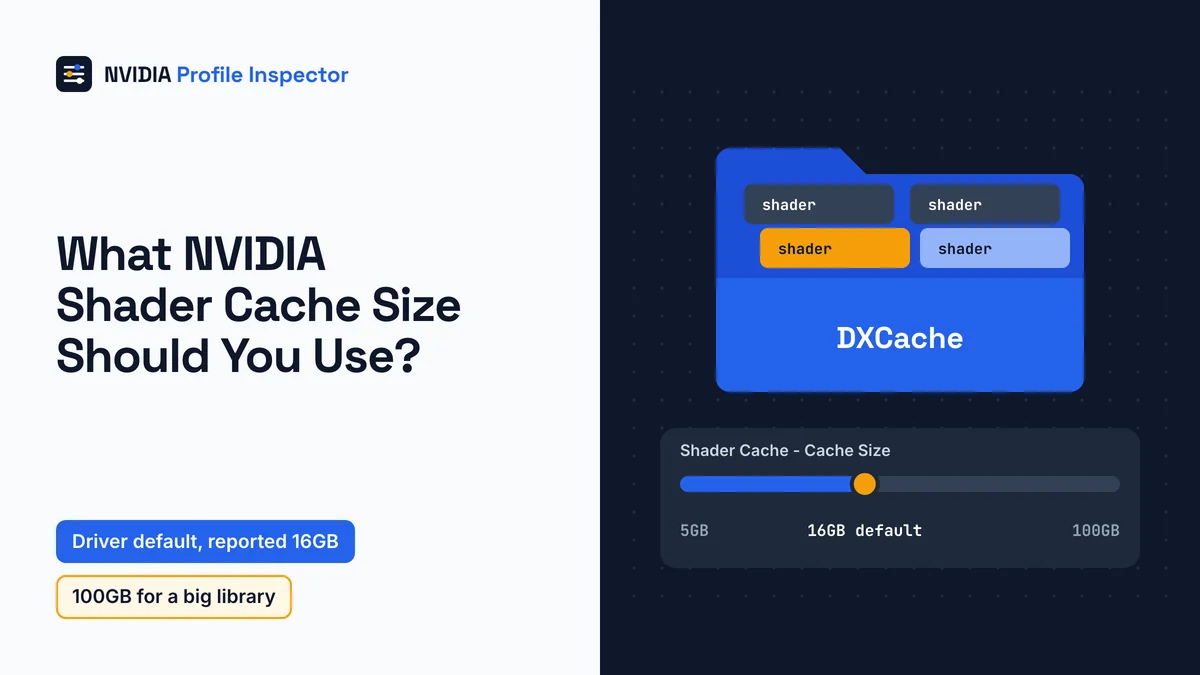
For most PCs, leave the NVIDIA shader cache size at the driver default (reported as 16GB on current drivers). Pick 100GB only if you keep a large game library and have plenty of free disk space. Choose Unlimited only if you plan to watch the folder. The setting caps how much disk space the driver may fill with compiled shaders, so games skip that work on later launches. It targets stutter, not low average FPS.
What does shader cache size do?
The shader cache size sets a ceiling on the disk space the driver may use to keep compiled shaders. With those files in place, a game does not have to compile the same shaders again the next time it runs. Control Panel, the NVIDIA App and Profile Inspector, the free driver profile editor all set this same cap.
NVIDIA's Control Panel help calls shader compiles "a common cause of game-play stuttering" and dates the size option to Release 495. Some stutter survives even a perfect cap, because a new game still builds its shaders from scratch on its first run. Input lag is a separate problem, handled by low latency and pre-rendered frame settings.
Best NVIDIA shader cache size for your PC
The best NVIDIA shader cache size holds every game you play often and still leaves free disk space. NVIDIA's help asks for a cache "large enough to cover the set of games you normally use", and it names no number of gigabytes.

The help page explains why the size matters at all. Games vary widely, and higher-end titles can need several hundred megabytes each. When the cache nears its cap, the driver deletes older shaders to make room. A cap that is too small therefore throws out shaders you still use and the stutter comes back.
Pick the row that matches your drive and library; values are the tool's Shader Cache - Cache Size labels.
| Your situation | Value | Why |
|---|---|---|
| Most PCs | The driver default (restore the row) | The driver picks the cap |
| A few games, a small or nearly full SSD | 5GB or 10GB | A firm cap below the reported 16GB default protects free space while still covering the games you normally use |
| Many large games, plenty of free space | 100GB | Room for a big library before the driver removes older shaders |
| You want no cap and will check the folder now and then | Unlimited | No limit, so the folder keeps growing |
| You want a fixed cap equal to the reported default | 16GB | Same size as the reported driver default, but it stays fixed when a new driver changes the default |
| Never for normal play | Off | Games compile their shaders again on every run |
Going from the driver default or 16GB up to 100GB is a disk space choice, not a speed upgrade. A bigger cap only changes anything once the cache has grown large enough to hit the smaller one.
What is the shader cache driver default?
Profile Inspector hands the size back to the driver, and the figure reported for current drivers is 16GB. NVIDIA publishes no number of its own, so treat 16GB as a reported figure that a later driver could change.
The number traces to pull request #374, in which a tool contributor added 16GB to the value list in January 2026 and called it the new default. NVIDIA's Control Panel help list has no 16GB step at all.
10GB or 100GB shader cache?
Pick a 100GB shader cache over 10GB if the drive has room, because 10GB now sits under the reported 16GB default. If you are not choosing between them, the driver default already beats 10GB. On current drivers, choosing 10GB (0x00002800) shrinks the cap rather than raising it.
At "several hundred megabytes" per large game, 10GB holds very roughly 20 to 50 such games before the driver starts deleting older shaders. PC Gamer reported fixing Borderlands 4 stutter by raising its cap to 100GB, which is one named case, not a rule.
NVIDIA Profile Inspector shader cache size values
Twelve values, from Off to Unlimited, sit on the Shader Cache - Cache Size row, ID 0x00AC8497, in group 07 - System, Memory and Compute.

The row belongs to a profile like any other, either one game's or _GLOBAL_DRIVER_PROFILE (Base Profile). Type "shader cache" into the search field to find it; older guides use its old name, Shadercache - Cachesize. The Resizable BAR rows share the same group.
| Value | Hex | Size in MB | In NVIDIA's Control Panel help list |
|---|---|---|---|
Off | 0x00000000 | cache off | Yes, as Disabled |
128MB | 0x00000080 | 128 | Yes |
256MB | 0x00000100 | 256 | Yes |
512MB | 0x00000200 | 512 | Yes |
1GB | 0x00000400 | 1,024 | Yes |
4GB | 0x00001000 | 4,096 | No |
5GB | 0x00001400 | 5,120 | Yes |
8GB | 0x00002000 | 8,192 | No |
10GB | 0x00002800 | 10,240 | Yes |
16GB | 0x00004000 | 16,384 | No |
100GB | 0x00019000 | 102,400 | Yes |
Unlimited | 0xFFFFFFFF | no limit | Yes |
Read each sized hex value as the cap in megabytes. A profile that shows 0x00002800 holds 10,240 MB, which is 10GB.
NVIDIA shader cache settings in Profile Inspector
Only Shader Cache - Cache Size is worth changing for most players. Around it sit three more rows from the tool's main list and three flag rows named only in Reference.xml.
| Row as shown | ID | Values | What to do |
|---|---|---|---|
Shader Cache - Cache Size | 0x00AC8497 | 12 values, Off to Unlimited | Change it to fit your drive |
Shader Cache - Enabled | 0x00198FFF | Off 0x00000000, On 0x00000001 (default On, driver 337.50 or newer) | Leave at On |
Shader Cache - Enabled (OpenGL) | 0x208F3F2E | Disabled 0x00000000, Enabled 0x00000001 | Leave at the driver's value; set Enabled if an OpenGL game shows Disabled |
Shader Cache - Pre-compile Shader Options | 0x00EAD189 | Disabled to High | Optional; see the settings guide |
Shader Cache Control Flags 0X1d744c | 0x001D744C | 0, 1, 2 | Leave at 0x00000000 |
Shader Cache Control Flags 0Xf4889b | 0x00F4889B | Bit flags such as DISABLE_DRIVER_VERSIONING 0x8 and DISABLE_GARBAGE_COLLECTION 0x40 | Leave at 0x00000000 |
Shader Cache Control Flags For Automated Testing | 0x00F4889C | Hidden row | Leave at 0x00000000 |
A big cap does nothing while Shader Cache - Enabled is Off, because that switch turns off the Direct3D cache altogether, and with it off every launch compiles again. OpenGL games have a switch of their own, which the XML gives no default. The three flag rows come from Reference.xml, outside the main list, and only the automated testing row is marked hidden. The pre-compile row builds DirectX 12 shaders ahead of time; read about Pre-compile Shader Options and the rest of group 07 before you switch it on.
Advanced Shader Delivery in driver 621.01
With Advanced Shader Delivery, some games now arrive with their shaders already built. NVIDIA's 621.01 Game Ready driver article (October 20, 2026) adds support for Microsoft's Advanced Shader Delivery, starting with Call of Duty: Modern Warfare 4 and Gears of War: E-Day.
The precompiled shader database for your PC comes bundled with the game download through the Xbox PC app, and NVIDIA names Microsoft Store purchases as the smooth path. In those games NVIDIA claims a near-100% cache hit rate, which removes mid-game compiling. Everything else still compiles shaders locally for your GPU and driver, so the size setting still matters.
Shader cache size in NVIDIA Control Panel and App
In NVIDIA Control Panel, Shader Cache Size sits under Manage 3D Settings with nine choices, from Disabled to Unlimited. That matches the list on NVIDIA's help page. The NVIDIA App puts the same option under Graphics, then Global Settings.
What Profile Inspector adds is the 4GB, 8GB and 16GB steps, plus the hex for every value. All three programs store one driver value, so read which program wins when the App also sets the cache before you use two. The tool only edits NVIDIA driver profiles, so owners of other cards should read about Profile Inspector on AMD and Intel cards.
Where is NVIDIA shader cache stored?
On current drivers, look in %LOCALAPPDATA%\NVIDIA: DirectX games fill DXCache and OpenGL games fill GLCache. NVIDIA's help pages do not print these paths, so each one is a reported path. The two current folders come from a September 2026 XDA Developers report.

| Folder | Used for |
|---|---|
%LOCALAPPDATA%\NVIDIA\DXCache | DirectX shaders on current drivers; a Microsoft Flight Simulator forum post ties the move here to driver 571.86 |
%LOCALAPPDATA%\NVIDIA\GLCache | OpenGL shaders on current drivers |
%USERPROFILE%\AppData\LocalLow\NVIDIA\PerDriverVersion\DXCache | DirectX shaders on older drivers, from user reports in the 545 driver era |
%PROGRAMDATA%\NVIDIA Corporation\NV_Cache | Legacy cache named in older third-party guides |
Paste the path into the File Explorer address bar to jump there, then right-click the folder and choose Properties to see how big it has grown. Neither Profile Inspector nor Control Panel shows a size readout. XDA's report found 40GB across 946 files on one PC.
How to clear NVIDIA shader cache
Turn the cache off, restart, empty the folders, then set the size back. That order follows NVIDIA's support steps as XDA retells them, and it stops the driver from holding files open while you delete them.

- Export a .nip backup of the global profile first. Then set
Shader Cache - Cache SizetoOff(0x00000000) on that profile, or pick Disabled in Control Panel, and save. - Restart Windows.
- Delete the files inside
DXCacheandGLCache, but keep the folders. - Set the size back to the driver default or the value you chose earlier.
War Thunder's publisher, Gaijin, reportedly gives the same order in its support article. Expect stutter on the first run of each game while the driver fills the cache again.
Cannot find the cache size row?
An old driver explains a missing option, while returning stutter usually means the cache was emptied or switched off.
- No Shader Cache Size option in Control Panel. NVIDIA's help dates the option to Release 495, so install a current Game Ready driver.
- Stutter returns after a driver update. NVIDIA's help says a new driver deletes the cache. Play on while it refills.
- Stutter every time a game starts. The cache is off, either at size
Offor withShader Cache - EnabledatOff. Set a size and turn Enabled back toOn. - The C: drive keeps filling up. An
Unlimitedcap lets the folder grow without end. Set5GBor10GB, then clear the folder. - Hitches that continue after the first few launches. A game's first run fills the cache, so lasting hitches point away from the cap. Uneven frame pacing is the next suspect: cap the frame rate in the driver a little under your average FPS and replay the same scene.
- A new value will not stick. That is a Profile Inspector save problem, not a cache problem; fix Profile Inspector changes that will not save.
How to undo shader cache changes
Restoring the row puts the NVIDIA shader cache size back to the driver's value. Restoring works for Shader Cache - Cache Size and for Shader Cache - Enabled (OpenGL), which has no default in the XML. If you set Shader Cache - Enabled to Off, set it back to On (0x00000001).
Restoring beats typing 16GB by hand, because a restored row follows whatever default the next driver brings while a typed value stays fixed. When several rows changed at once, a profile reset clears them in one go instead.
FAQ
Does shader cache size affect FPS?
Not much. NVIDIA presents the cache as a cure for stutter, the short freezes you feel when a shader compiles during play. MakeUseOf found that the cache "doesn't impact average FPS as much as other stats do".
Is shader cache size Unlimited safe?
Unlimited is a disk space risk, not a hardware risk. With no cap, the driver never reaches the limit that makes it throw out older shaders, so the folder keeps growing. The tool itself, which edits only driver profiles, is covered under whether Profile Inspector itself is safe.
Can I change the NVIDIA shader cache location?
Not with a setting. Neither CustomSettingNames.xml nor Reference.xml has a row for the cache folder, and NVIDIA documents no option to move it. Some guides suggest folder links that point it at another drive.
Does Disk Cleanup clear the NVIDIA shader cache?
No. XDA reports that the DirectX Shader Cache box in Windows Disk Cleanup empties only Windows' own D3DSCache folder. NVIDIA's files sit in DXCache and GLCache and stay put. The driver rebuilds whatever you delete, with some stutter on each game's first run.
Does a driver update clear the shader cache?
NVIDIA's Control Panel help says installing a new driver deletes the cache. XDA reports that its old cache files stayed in place after it changed drivers. Either way, plan for some stutter on the first launch of each game after an update, until the cache fills again.
Does shader cache size matter in DX12 games?
Yes. NVIDIA's 621.01 article says games without Advanced Shader Delivery compile shaders locally for your GPU and driver. Microsoft notes a DX12 game can also store its own compiled pipelines on disk, so part of that game's cache may sit outside NVIDIA's folder.
Conclusion
Leave the NVIDIA shader cache size at the driver default, reported as 16GB, unless your drive or library pushes you off it. A small, nearly full SSD suits 5GB or 10GB, a big library on a roomy drive suits 100GB, and Unlimited fits only if you will watch the folder.
Keep Shader Cache - Enabled at On, and restore the size row to get the driver's value back, or reset the profile when several rows changed. Expect some stutter on each game's first run after you clear the folders or update the driver, until the cache refills.